
How to auto-text missed calls on Android
You miss a call while driving or with a customer, plan to text back later, and forget. A rule can send that text for you. Here is how to set one up with Callback SMS, an Android app I built for this job.
Before you start
- Android only. It runs on Android 7.0 or later. There is no iPhone version.
- Texts come from your own number. Every message goes out as an MMS, even with no photo, so your carrier plan applies. Check how your plan counts MMS.
- The free plan works. Auto-send is included, but a short notice about the app is added to the end of each text and photos are not available. Subscribing removes the notice.
1. Install and grant permissions
The first launch walks you through setup: SMS, call log and phone state permissions, display over other apps, the battery optimization exemption, and the exemption from automatic permission removal. The call log is read on the phone to tell outgoing, incoming and missed calls apart. It is not sent to any server.
2. Write your message
Open the Templates tab and tap +. Keep it short: who you are, why you missed the call, and when you will get back to them. Add {time} or {number} if you want the time or the caller's number filled in.
Need wording? Start from these missed call text templates.
3. Create a missed-call rule
Open the Rules tab and add a rule. For an after-hours reply, pick these values:
| Setting | Value |
|---|---|
| Call type | Missed |
| Days | Mon to Fri, or all days |
| Hours | 18:00 to 09:00 (an end time earlier than the start runs past midnight) |
| Repeat limit | Once a day |
| Template | The message from step 2 |
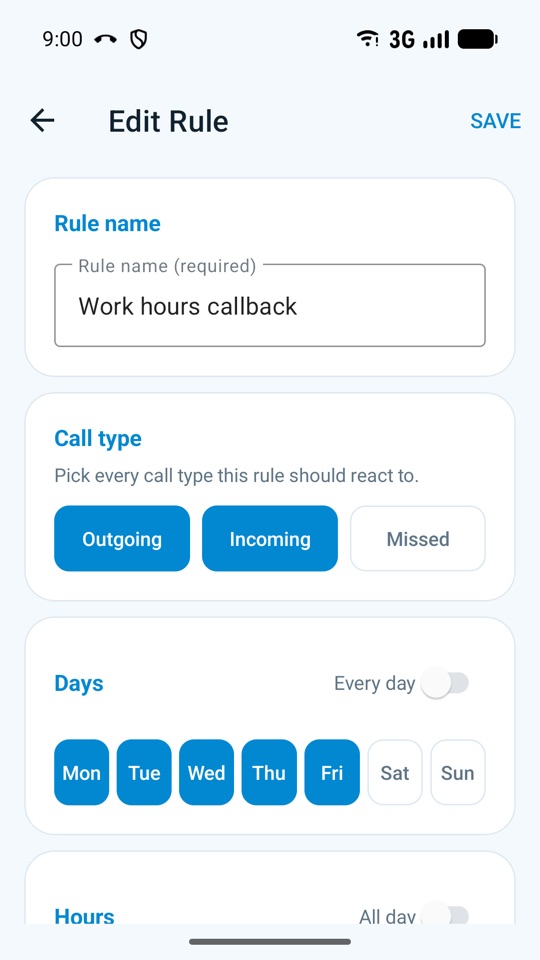
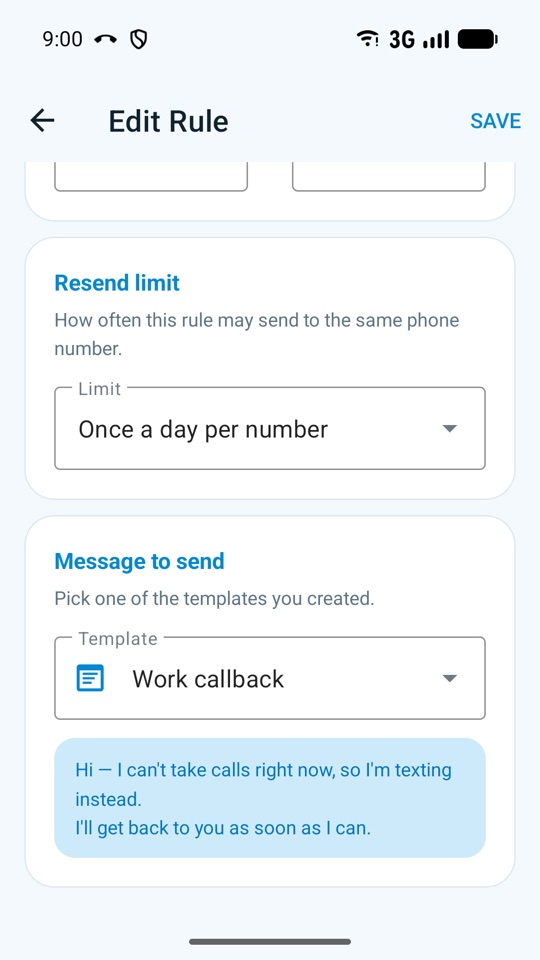
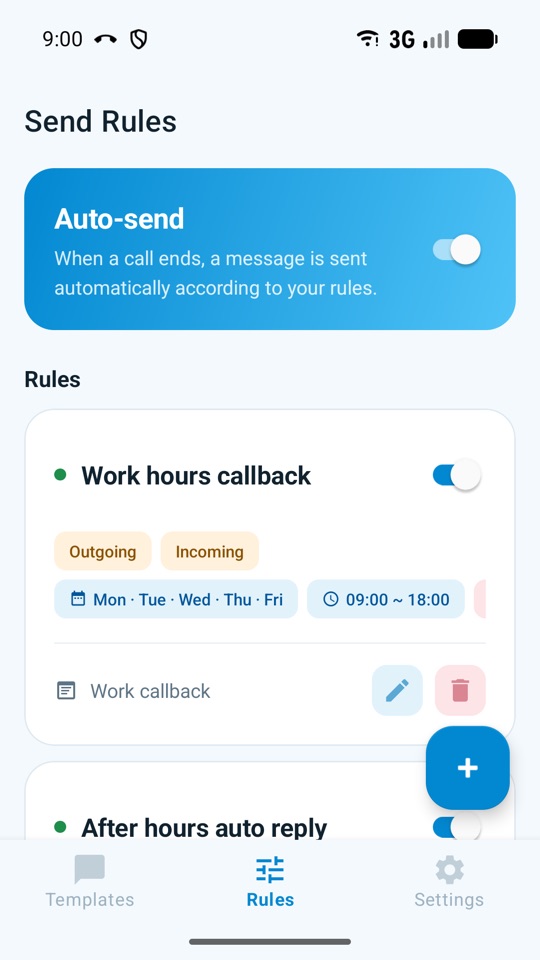
Always set a repeat limit, so someone who calls three times does not get three identical texts. The limit is counted per rule, so keep rules from overlapping. The app warns you about overlaps when you save, and if several rules match a call, only the top one in the list is used.
4. Exclude numbers
Family and close friends probably don't need the reply. Move their numbers to the Blocked list under Settings → Contact management, or import them from your contacts.
Outside Korea, check one thing first. The app automatically skips numbers starting with Korean landline prefixes (02, 031–033, 041–044, 051–055, 061–064) and 070, and it does not check the country. Local-format numbers elsewhere can match them, such as Australian mobiles starting 041–044 and UK landlines starting 02 or 03. Skipped numbers show up in the send history. Landlines in other countries are not filtered.
5. Test it and leave it on
Send yourself a test from Settings. Then make sure the Auto-send switch at the top of the Rules tab is on.
With auto-send off, missed calls get no text. The app only shows a template picker after outgoing and incoming calls, and nothing at all for missed calls.
If a text didn't go out
Open Settings → Send history. It keeps the latest 120 results and says why a text was skipped or failed: no matching rule, the repeat limit, an excluded number, or auto-send being off.
If nothing was logged at all, the phone probably put the app to sleep. Check that the battery exemption is still on. Manufacturer power saving can delay texts, and force-stopping the app stops detection until you open it again.